Product
BurnHancer Intelligence Studio
In DevelopmentA structured showcase for flame-media review, visual analysis, simulated process context, technical explanation, session comparison, and reporting.
Workflow
The review workflow
- Step 1
Select media
Start from an approved sample session or choose a local file that stays inside your browser session.
Working Prototype - Step 2
Review visual output
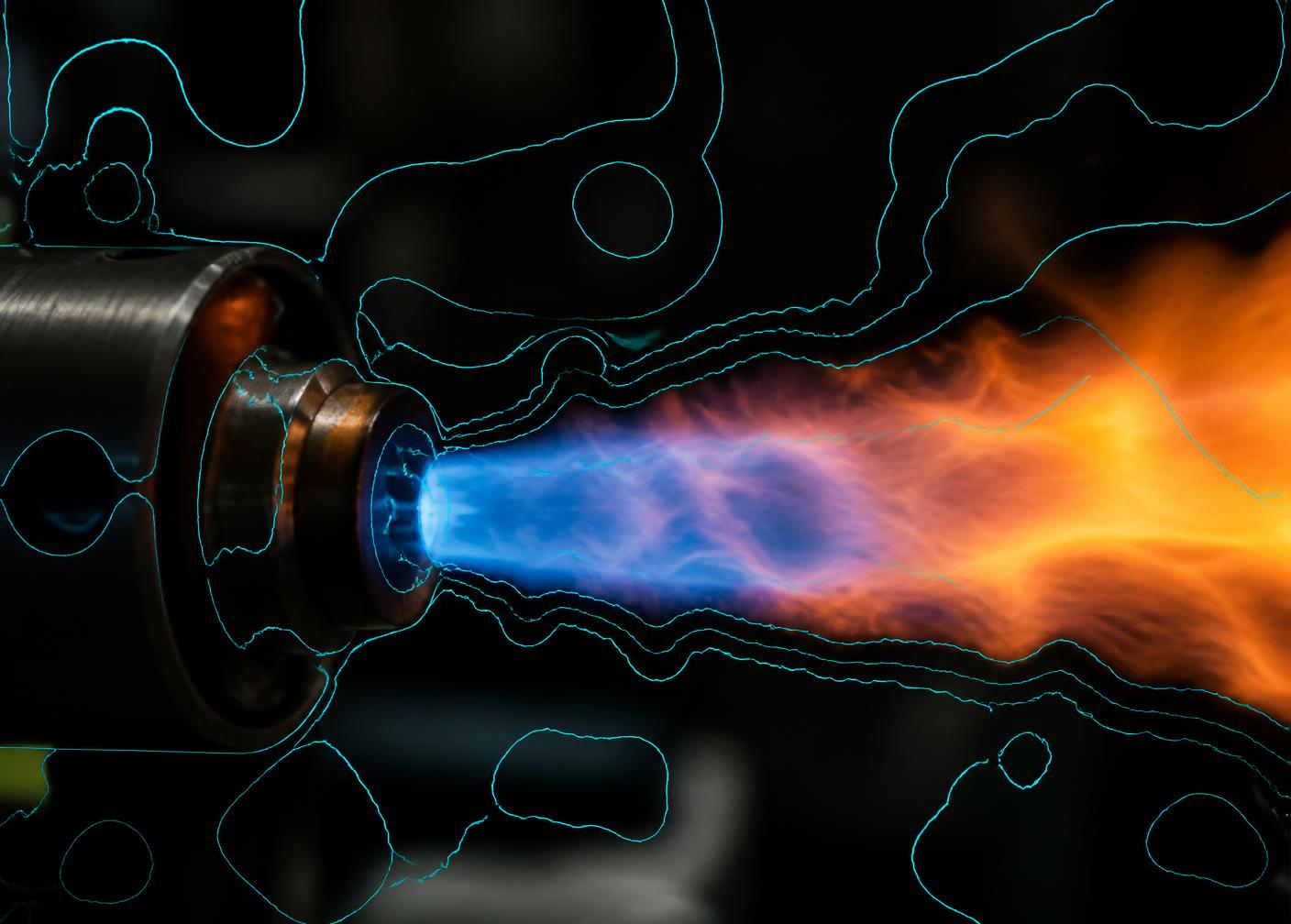
Inspect detection-style, segmentation-style, and heatmap-style views prepared in advance for the showcase.
Curated Demo Output - Step 3
Explore process context
Read clearly labelled sample process values and observe illustrative responses to scenario controls.
Simulated Preview - Step 4
Compare sessions
Place two sample sessions side by side and review differences, notes, and validation status.
In Development - Step 5
Prepare a report
Preview a structured technical summary with status labels, sources, limitations, and a human-review notice.
Working Prototype
Capabilities
Feature capability grid
Media workspace
Organise sample flame media and locally selected files into a reviewable session structure.
Working PrototypeVision overlay preview
Precomputed detection-, segmentation-, and heatmap-style views prepared for the showcase.
Curated Demo OutputFlame-condition interpretation
Experimental interpretation of flame appearance as stable, transition, or unstable observation cues.
Experimental AI POCRequires ValidationProcess cockpit
A labelled sample view of process context values used to frame technical discussion.
Simulated PreviewTechnical copilot preview
Prewritten technical explanations covering scope, simulation, validation, and roadmap questions.
AI-Assisted DraftSession and report workflow
Local session history, comparison, and a printable structured report preview.
In Development
Product truth
Feature truth table
Purpose, current display status, data type, validation state, exclusions, and the next technical step for each feature.
| Feature | Purpose | Current display status | Data type | Validation state | What is not included | Next technical step |
|---|---|---|---|---|---|---|
| Media workspace | Organise sample and locally selected flame media into review sessions. | Working Prototype | Approved samples and browser-local files | Frontend behaviour only; no measurement claim | No upload, no storage, no plant media ingestion | Define approved media governance and session persistence scope |
| Vision overlay preview | Show detection-, segmentation-, and heatmap-style views of flame media. | Curated Demo Output | Precomputed local assets | Not validated; illustrative only | No live inference on selected files | Reconcile model version, dataset provenance, and evaluation protocol |
| Flame-condition interpretation | Present an experimental observation cue: stable, transition, or unstable. | Experimental AI POC | Deterministic sample values | Requires Validation | No UBC, emissions, efficiency, or fuel prediction | Define reference measurements and a documented validation study |
| Process cockpit | Provide labelled process context to frame technical discussion. | Simulated Preview | Locally generated deterministic sample values | Not measured; not plant data | No SCADA, DCS, PLC, CEMS, historian, or OPC-UA connection | Specify data interfaces and governance for any future plant context |
| Technical copilot preview | Answer scope, simulation, validation, and roadmap questions. | AI-Assisted Draft | Prewritten local content | Requires qualified human review | No live language model call and no free-form generation | Define an approved knowledge base and review workflow |
| Session comparison and reporting | Compare sessions and preview a structured technical summary. | In Development | Local mock session history | Frontend preview only | No server-generated report and no stored records | Define report schema, retention, and approval requirements |
Screens
Large screen previews
BurnHancer Intelligence Studio
- Session
- Burner Session B
- Context
- Sample media · comparison review
Simulated process context
O₂
3%
CO
162.8ppm
NOx
159.8ppm
Temperature
1237.2°C
Roadmap
Current versus roadmap
| Area | Current showcase | Future roadmap |
|---|---|---|
| Media review | Sample and browser-local media in a session workspace | Governed media pipelines with approved retention rules |
| Visual output | Precomputed curated overlays | Versioned models with a documented evaluation protocol |
| Condition cues | Experimental interpretation, requires validation | Validated estimation with reference measurement |
| Process context | Deterministic simulated samples | Defined plant-data interfaces under separate technical scope |
| Explanations | Prewritten AI-assisted drafts | Reviewed knowledge base with approval workflow |
| Reporting | Local browser report preview | Defined report schema, storage, and approval requirements |
Limitations
What this product is not
- Not a validated UBC-measurement system.
- Not a calibrated emissions or efficiency model.
- Not a production optimization platform.
- Not a live plant integration or digital twin.
- Not a control system of any kind.
- Not a production-ready industrial deployment.
Walk through the guided showcase.
Every step is labelled so working, curated, experimental, simulated, and planned elements stay clearly separated.